
You should have read and done the How to set it up page before proceeding with these steps.
OX Inventory#
- You can add the items by going to ox_inventory/data/items.lua this path and opening the file
['bodycam'] = {
    label = 'Body Cam',
    weight = 20,
    stack = false,
    close = true,
    description = 'A bodycam for recording',
},
['dashcam'] = {
    label = 'Dash Cam',
    weight = 20,
    stack = false,
    close = true,
    description = 'A dashcam for streaming',
},
QB Inventory - QS Inventory#
- You can add the items by going to shared/items.lua this path and opening the file
["bodycam"] = {
    name = 'bodycam',
    label = 'Body Cam',
    weight = 50,
    type = 'item',
    image = 'bodycam.png',
    unique = true,
    useable = true,
    shouldClose = true,
    combinable = nil,
    description = 'A bodycam for recording'
},
["dashcam"] = {
    name = 'dashcam',
    label = 'Dash Cam',
    weight = 50,
    type = 'item',
    image = 'dashcam.png',
    unique = true,
    useable = true,
    shouldClose = true,
    combinable = nil,
    description = 'A dashcam for streaming'
}
ESX Items - SQL Table#
INSERT INTO `items` (`name`, `label`, `weight`) VALUES
	('bodycam', 'Bodycam', 20),
	('dashcam', 'Dashcam', 20)
;
Item pictures#
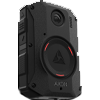
bodycam - picture

dashcam - picture