
Before delivery, active staff must prepare the exact order and approve its current allocation for pickup, or collect its actual bags for hand delivery. Place the customer Menu Location and staff Packaging Point. The customer must use the original ordering character for pickup.
Deliver the actual bags reserved for the order. A ready order1 is completely packed and explicitly approved; the order status alone does not create inventory items.
Choose the delivery path#
| Path | Where the bags start | Who receives/collects them |
|---|---|---|
| Customer pickup | All reserved bags still in Restaurant Storage | The original customer at the current published Menu Location |
| Staff hand delivery | Staff first collect all reserved bags from storage | Staff carry and transfer the actual bags to that order's customer |
The server validates the current order, payment, bag identities and inventory capacity. Do not mix a general stock withdrawal with the order's dedicated handoff action.
Customer pickup#
- Finish order assignment and use Approve for pickup.
- The customer approaches the current published Menu Location with the original character.
- Open My Orders and select the Ready order.
- Ensure there is room for all reserved bags.
- Use Collect order and wait for the verified transfer.
- Inspect the delivered order state and actual inventory bags.
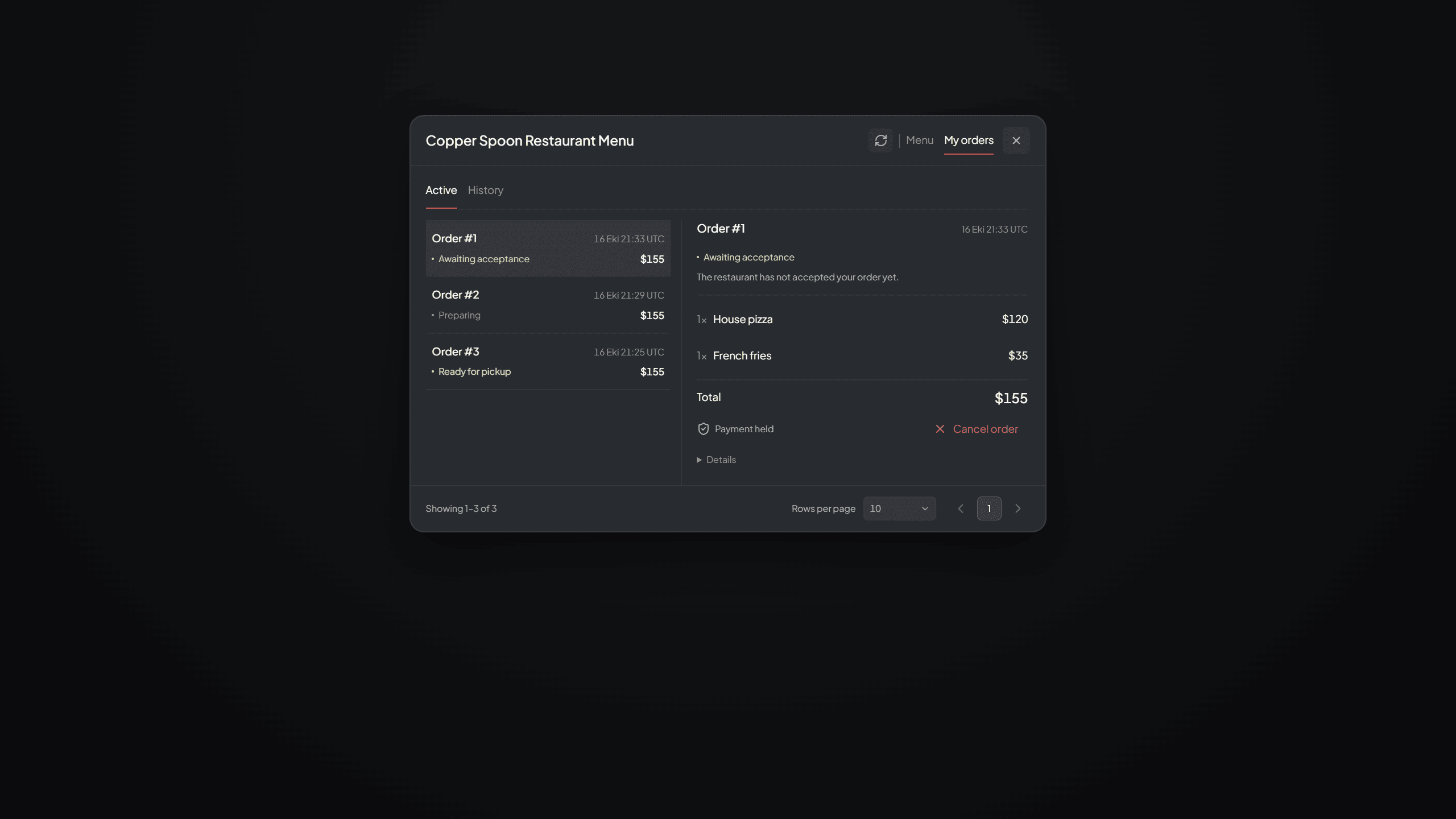
My Orders view where the customer checks order progress, payment and the action permitted by the selected status.
Payment must be settled and all reserved bags must still be in storage. A definite failure keeps the order Ready for the supported retry. An uncertain transfer blocks another pickup until the original result is reviewed.
Staff hand delivery#
- Open the packed/approved order as authorized staff.
- Use Collect for hand delivery to take all reserved bags into your actual inventory.
- Use the bag's supported carry and nearby-player delivery flow.
- While the order is active, give the linked bag only to its designated customer.
- After the physical handover, complete the permitted delivery acknowledgement.
The recorded package custody2 persists independently from the carry animation. Closing the view, reconnecting or restarting does not recreate a lost bag or move it back into storage. Keep the actual bag and its identity intact.
Delivery acknowledgements#
The customer can use I received it in My Orders after receiving the order. Authorized staff can use Mark delivered to attest the physical handover. Either valid acknowledgement completes once and performs no additional money or item operation.
Use Mark delivered only after handing the bags to the customer. Bags still in Storage or under transfer review cannot be completed this way.
Return bags when delivery is postponed#
Return the actual linked bags through the allowed staff storage deposit path. Returning every handed-out bag restores Packed and requires a new Ready approval. A partial return does not allow collecting the entire order again or completing it as delivered.
After confirmed delivery, package identities cannot return as fresh sale stock or satisfy another order. The delivered holder can use/open the actual bag normally under its allowed state.
If a bag appears missing#
Refresh the order and storage, then check the bags in the collecting employee's inventory and read the transfer record. Closing the carry animation does not remove the bags. An uncertain outcome3 needs review before another transfer.
Use Order, Payment and Stock Recovery. Preserve the order reference and all affected package IDs; do not issue replacement bags merely to advance the status.
Footnotes
-
An order explicitly approved for delivery after all required bags have been prepared. Read the definition. ↩
-
The recorded possession and delivery responsibility for an order's actual bags. Read the definition. ↩
-
A money or item transfer whose final result could not be confirmed. Read the definition. ↩