
A material1 defines what a recipe can consume or produce. It does not create stock. Use this page to plan a consistent material list; follow Add a Material for the full field-by-field example.
Open and read the list#
Select the restaurant, expand Kitchen, and open Materials. The row shows the name, logical item, unit, usage references and publication state. Select the name or Edit to open the material.

Materials list with logical item names, units, reference counts and publication status.
The usage count answers “which records reference this definition?” It does not answer “how much stock is available?” A material can have no current references while somebody still holds a packet issued earlier.
Choose the identity and unit#
Use a readable Item Label and a unique item name2 such as red_pepper. The logical code starts with a lowercase letter and uses lowercase letters, digits, underscores or hyphens. It is unique within this restaurant.
| Unit | Example amount | How to read it |
|---|---|---|
| Count | 2 | Two pieces or servings |
| Gram | 100 | One hundred grams |
| Kilogram | 0.5 | Half a kilogram |
| Milliliter | 250 | Two hundred and fifty milliliters |
| Liter | 0.25 | One quarter liter |
Use the material's selected unit consistently. A recipe quantity of 100 for a Kilogram material means 100 kilograms. Do not assume the system silently interprets a number as grams. Count quantities are whole products; fractional measured quantities must satisfy the editor's validation.
Understand physical items and logical amounts#
A packet and logical quantity3 is one physical entry with a logical quantity. A 250 g packet is one entry, not 250 provider items. If a recipe successfully consumes 100 g, its remaining usable amount is 150 g.
A Supply offer defines how much is inside a purchased packet. A recipe defines how much one run consumes and produces. The Materials form defines neither a stock purchase nor the amount each recipe must use.
Likewise, a finished batch may contain several logical servings in one inventory entry. Capacity and transfer checks concern physical entries and provider weight as well as logical product amounts. Do not multiply or overwrite metadata manually to make them match.
Separate intermediate and finished outputs#
Choose whether the recipe produces an intermediate material4 or a finished product5. You can use an intermediate material in another custom recipe, in its selected unit. Finished products require Count and cannot serve as recipe inputs or Supply ingredients.
For Tomato soup, select Count before using it as a finished output. Select a configured usage profile if customers should consume it. Creating a Count material alone does not make it edible or put it on sale.
Edit or delete safely#
Item Name and Unit are locked while recipes or Supply offers use the material. Open its usage count to find those records. Update or remove those references before changing the fields, or create a new material for the different ingredient.
Deleting a referenced material is denied. Removing one recipe leaves shared materials intact because other recipes or Supply points may still need them. Items already given to players keep their saved contents. The usage count does not count those items.
Apply optional presentation#
Expand Advanced for the local PNG filename and item usage selection. The supplied form screenshot is a blank example, not a completed Red Pepper record.
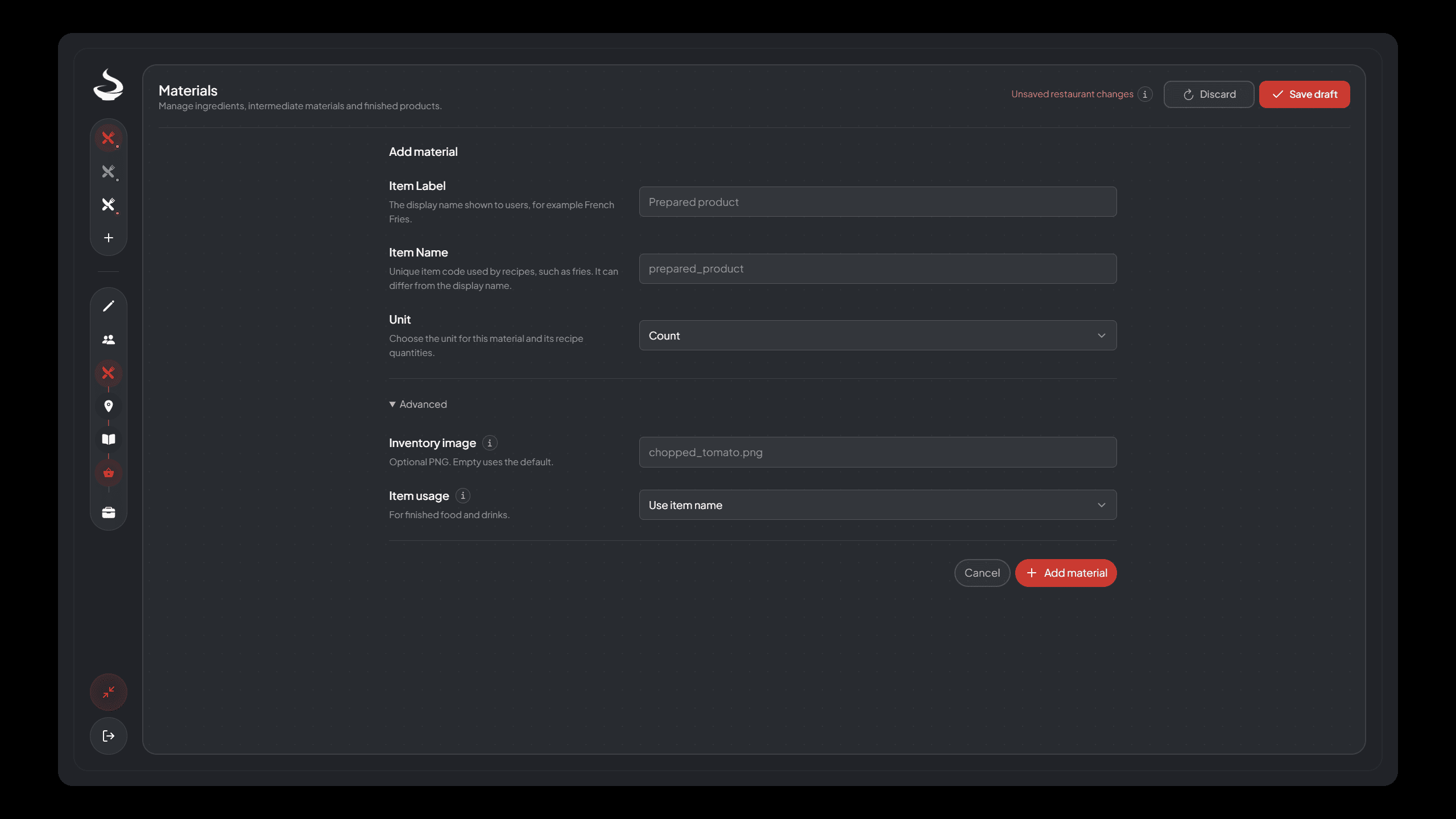
Material form with required name and unit fields plus Advanced inventory image and item usage options.
Apply the form, Save draft and Publish. See Inventory Items and Images and Usage Profiles for the corresponding server setup.
Try the complete custom example#
Use Your First Custom Production to apply these rules to one Supply point, a Cutting recipe, a Cooking recipe and their exact ingredient quantities.
Footnotes
-
A restaurant definition with a readable name, logical item code and unit that recipes can reference. Read the definition. ↩
-
The logical code identifying a material within its restaurant, such as red_pepper. Read the definition. ↩
-
One physical inventory entry holding a logical amount of a Restaurant material or product batch. Read the definition. ↩
-
A recipe result intended to be used as an ingredient in another recipe. Read the definition. ↩
-
A completed serving produced as a product rather than a reusable ingredient. Read the definition. ↩