
A recipe describes one configured production method or a ready product workflow. Begin in Kitchen > Recipes for the selected restaurant.
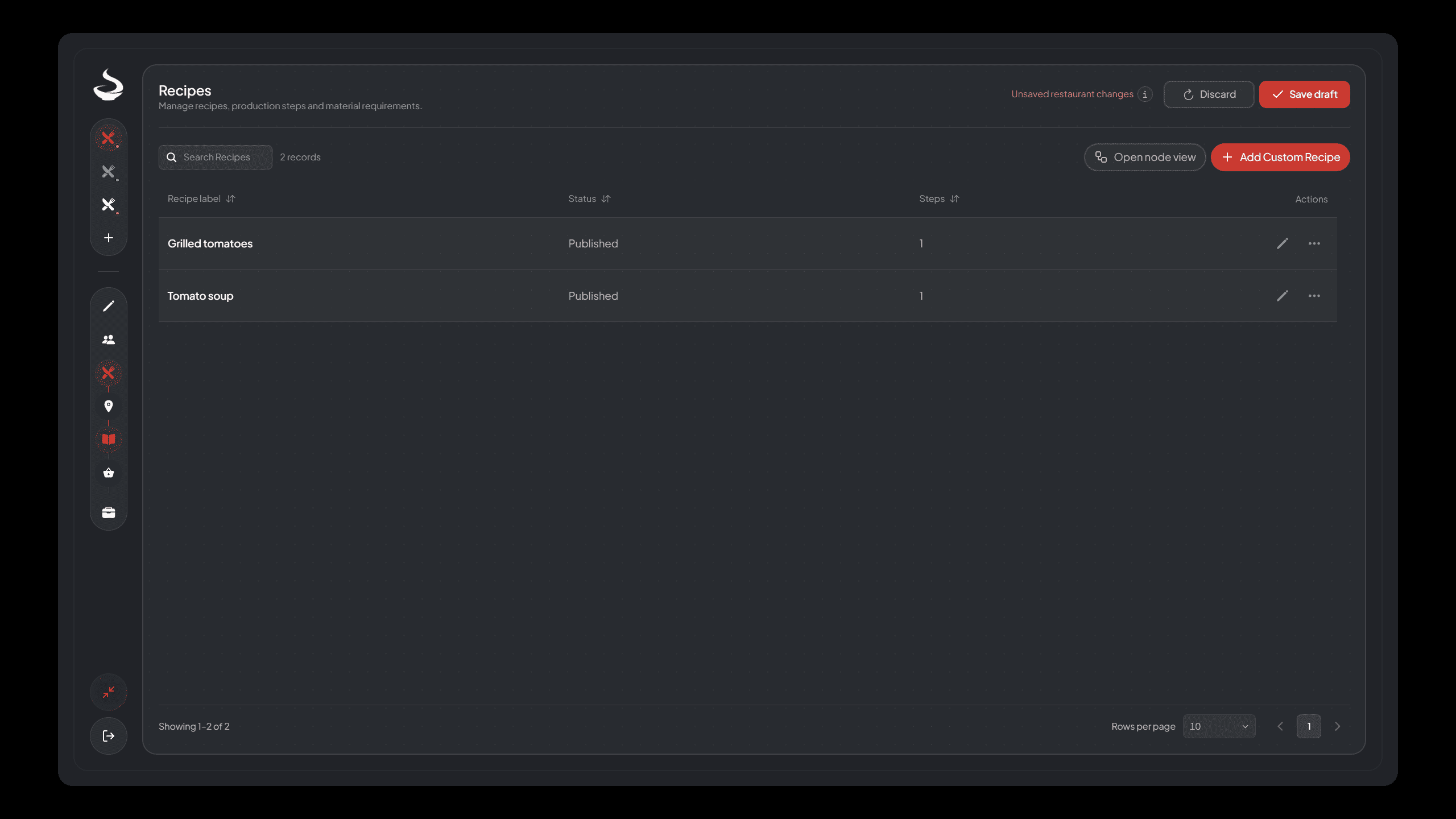
Recipes list with configured methods, their operation summaries and draft/publication state.
1. Choose the recipe kind#
In a manual restaurant, add a custom recipe1. In a template restaurant, use the ready preset catalog. Template restaurants use the ready preset catalog. Ready and Custom Recipes explains this distinction before you commit to a setup.
2. Name and configure a custom method#
Use a label that tells staff what happens, such as Chop tomato. Choose its processing operation2 and enter a positive whole-second duration. The operation determines whether the employee stays for attended work or loads an unattended device.
Custom recipes contain one processing operation. Build a multi-stage workflow using separate recipes that share intermediate materials. Adding a label or graph connection does not create an automatic chained execution.

New custom recipe form. For the Chop tomato example, enter 5 seconds, choose the intermediate output role and add the quantities below.
3. Select the output role before connecting materials#
Choose the ingredient/intermediate role when the result must feed another recipe. Choose Finished food or drink for the completed serving. Finished outputs require Count materials and cannot also be consumed as inputs elsewhere or sold as Supply ingredients under the restaurant's shared rules.
Example intermediate method:
| Setting | Example |
|---|---|
| Label | Chop tomato |
| Operation | Cutting |
| Duration | 5 seconds |
| Input | Tomato, 100 Gram |
| Output | Chopped tomato, 100 Gram |
| Output role | Intermediate material |
The example quantities are a design choice, not a forced conversion. Configure each input and output explicitly.
4. Add required and produced materials#
Use Add input and Add output, select the shared material and enter the amount for one execution. Selecting a material can fill a unit-based starting quantity; review it instead of assuming it is your intended recipe amount.
Use the inline New material option when needed, complete its dialog and return to the recipe. Before applying, fix empty selections, invalid amounts, duplicate materials or incompatible output roles. A custom production recipe needs input materials.
5. Review point coverage or ready steps#
Custom recipes need an independent Operation Point with the same operation and a filter that permits this recipe. Use the missing-point shortcut when offered, or open Operation Points. A compatible point can still be disabled, unplaced or occupied.
For ready recipes, open the numbered step editor or its placement shortcut. Review draft focuses on fields needing attention. Advanced shows the fuller material/placement summary. Some ready steps have fixed inputs or outputs. Change only the fields available in that step's editor.
6. Apply, save and publish#
Accept the recipe form. The list returns and the restaurant header can show unsaved changes. Save the whole restaurant draft, repair validation errors, then Publish. A custom point may be retained unplaced in a saved draft, but required live placement must be completed before publication.
Duplicate or remove a recipe#
Use the row's secondary actions to duplicate or delete. A duplicate is an independent record: inspect its name, identity, material references and every placement before publication. Do not assume it is a second free capacity slot at the same physical station.
Deleting removes the selected recipe from the draft; shared materials remain. Apply the whole restaurant draft change through saving and publication. Kitchen-changing publication can discard temporary food, so finish current production first.
Next, configure Operation Points, Supply and World Placement.
Try the complete custom example#
Use Your First Custom Production to apply these rules to one Supply point, a Cutting recipe, a Cooking recipe and their exact ingredient quantities.
Footnotes
-
A single-operation recipe whose inputs, outputs and quantities use shared material definitions. Read the definition. ↩
-
The processing type a custom recipe performs, such as Cutting, Mixing or Boiling. Read the definition. ↩